
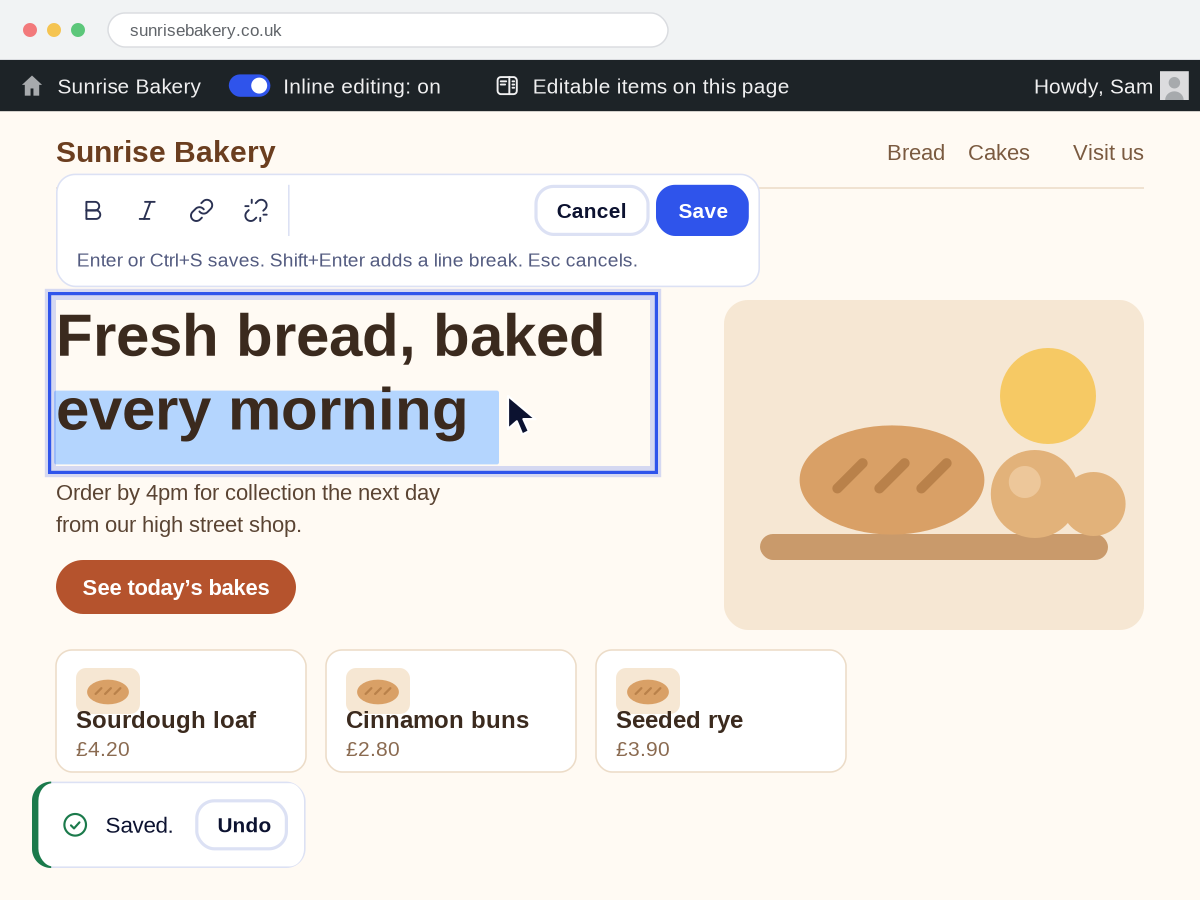
Text, right where it sits
Headings, paragraphs and list items open for typing. Bold, italic and links come from a small toolbar or the usual shortcuts.
Front-end editing for Bricks and the block editor
Change your headlines, prices, team photos, opening times and questions in seconds.
InlinerWP lets the people you choose change text, pictures, links and lists on the live page. They double-click, type and save. Your layout stays exactly as you built it.
Works with
Why InlinerWP
Most edits are a word, a price or a photo. InlinerWP puts those edits where people see them and keeps everything else locked.
Headings, paragraphs, buttons and links open for typing right where they sit. Bold, italic and links come from a small toolbar.
Add, change and remove items in ACF repeater lists. Copy a card to make another one just like it.
Choose who can change what, protect any area with one class and undo any save. WordPress still has the final say.
How it works
Activate InlinerWP, then choose what each role may change and where. The Inline editor role keeps people out of the dashboard.
Signed-in editors see the site as visitors do, with a switch in the toolbar. Switch it on and everything they may change is outlined.
Press Enter or Ctrl+S to save and Ctrl+Z to put it back. Visitors never see the controls.
Everything included
Headings, paragraphs and list items open for typing. Bold, italic and links come from a small toolbar or the usual shortcuts.
Change button text and where it goes. Swap a picture from the media library and write its description.
Add, change and remove items in ACF repeater lists shown by a Bricks query loop or an ACF block.
Copy any card to its left or right, move it along the row or remove it. No repeater needed.
Change every ACF field of a list item or a page, including the ones the page does not show.
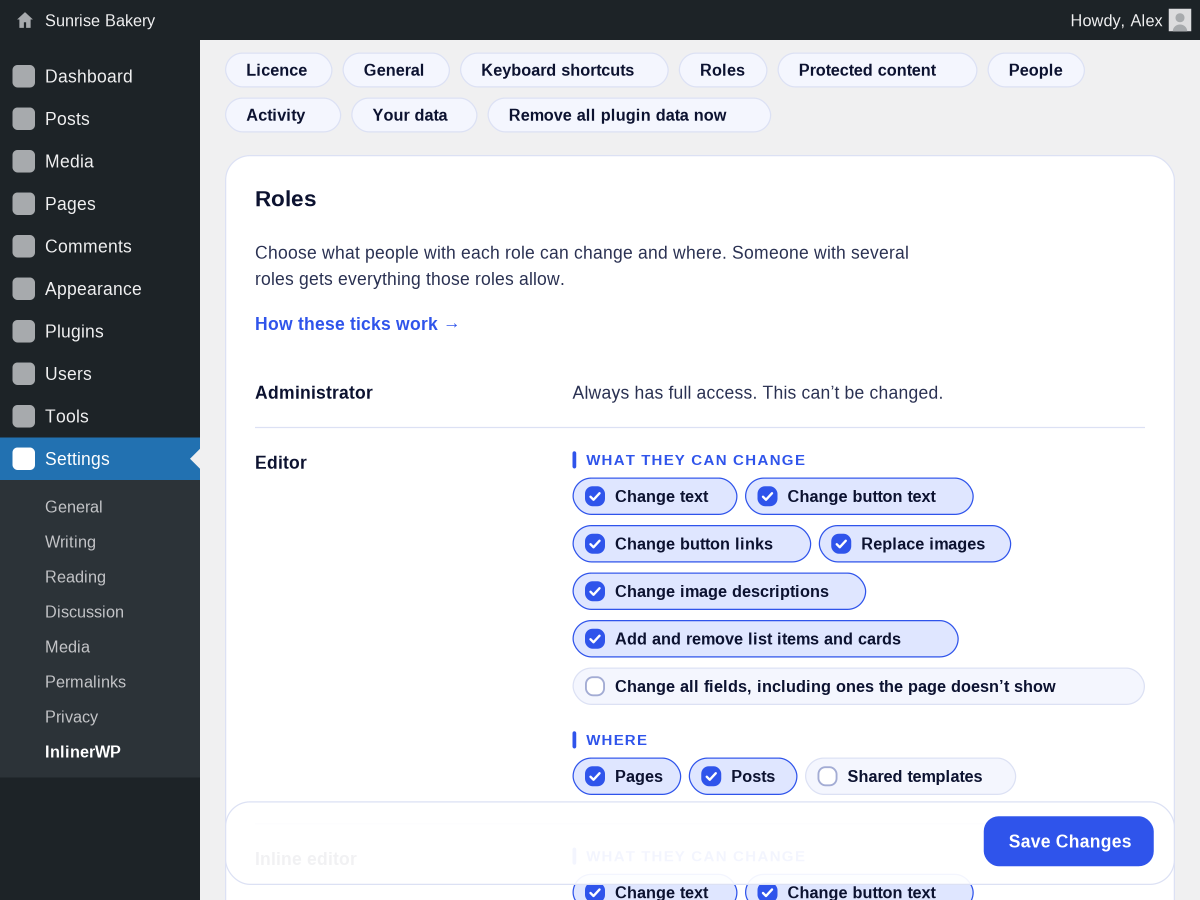
Choose what each role and each person may change and where. Administrators always have full access.
Give any element the inlinerwp-protected class or list whole pages and templates to keep them out of reach.
Ctrl+Z puts back the last change made in that tab. It never overwrites a change someone made since.
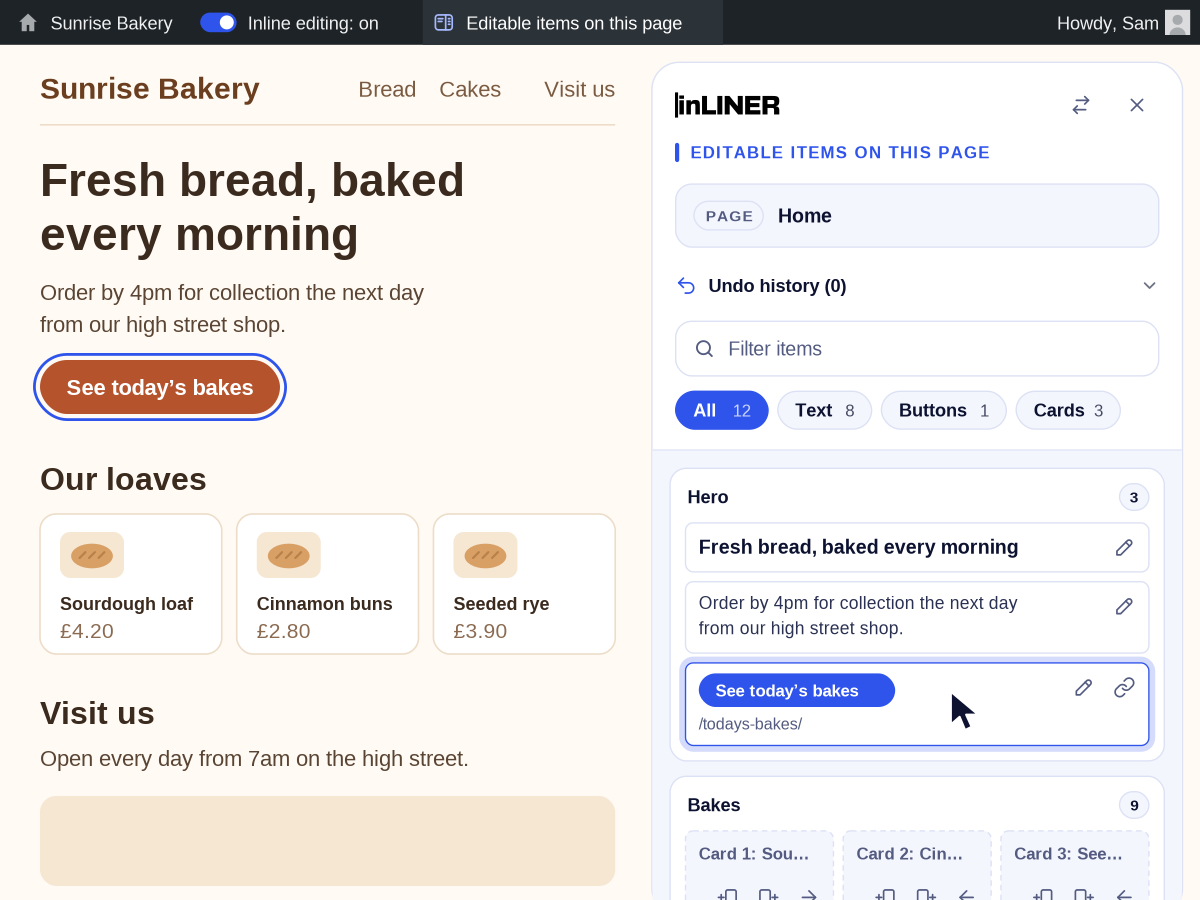
A side panel lays out each section as it is on the page and opens any other page you may change.
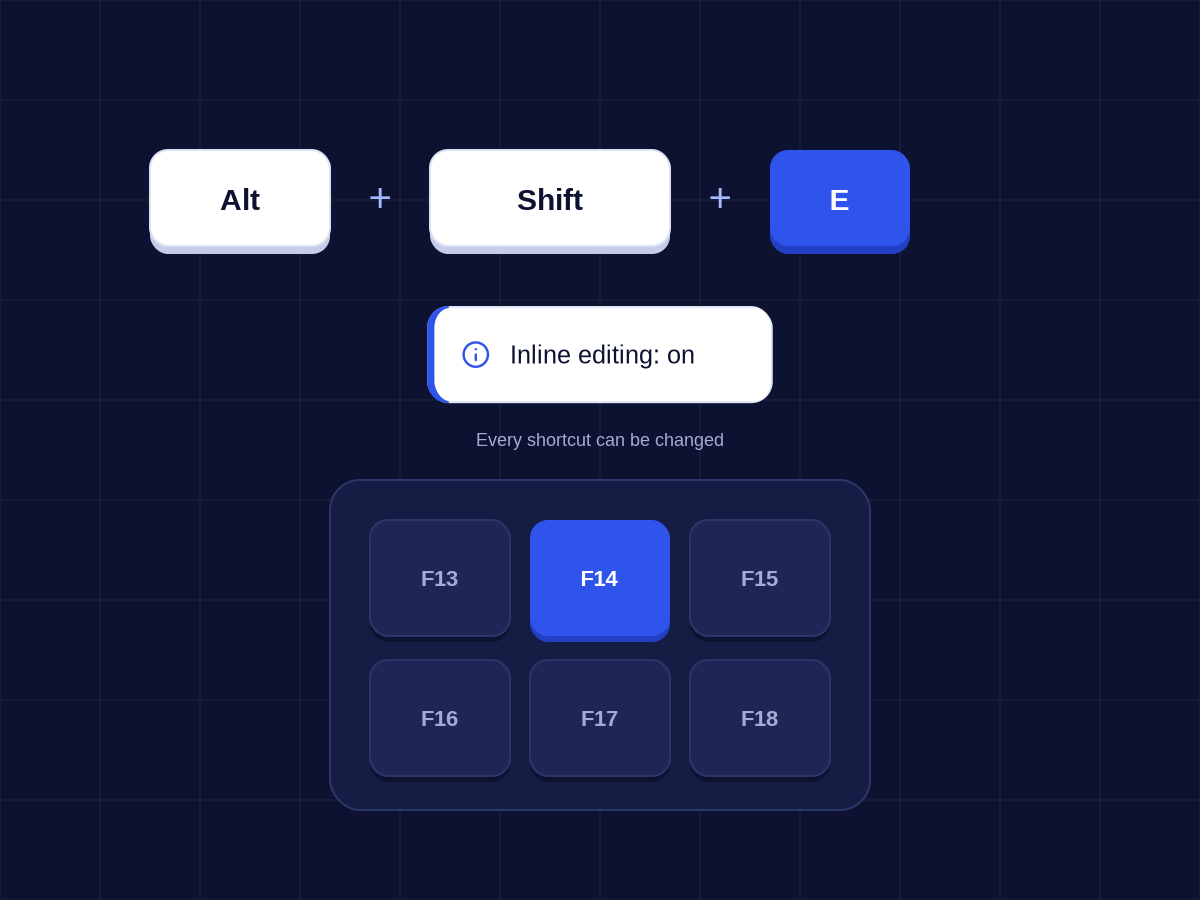
Switch editing on, open the panel or jump to a page from the keyboard. Any key can be remapped, Stream Deck included.
Type a phone number as you would write it. It becomes a link that works from any country.
Editing pauses while a page is open in Bricks or the block editor, so nobody saves over anybody else.
The side panel
Open the panel to see each section laid out as it is on the page. Click an item to find it, double-click it to change it and jump to any other page with the page switcher.
Permissions
Set what each role and each person may change, choose the post types they work on and keep whole pages, templates or single elements out of reach.
Shortcuts
Switch editing on, open the panel or jump to another page from the keyboard. Every shortcut can be changed, so a Stream Deck button can do the same.
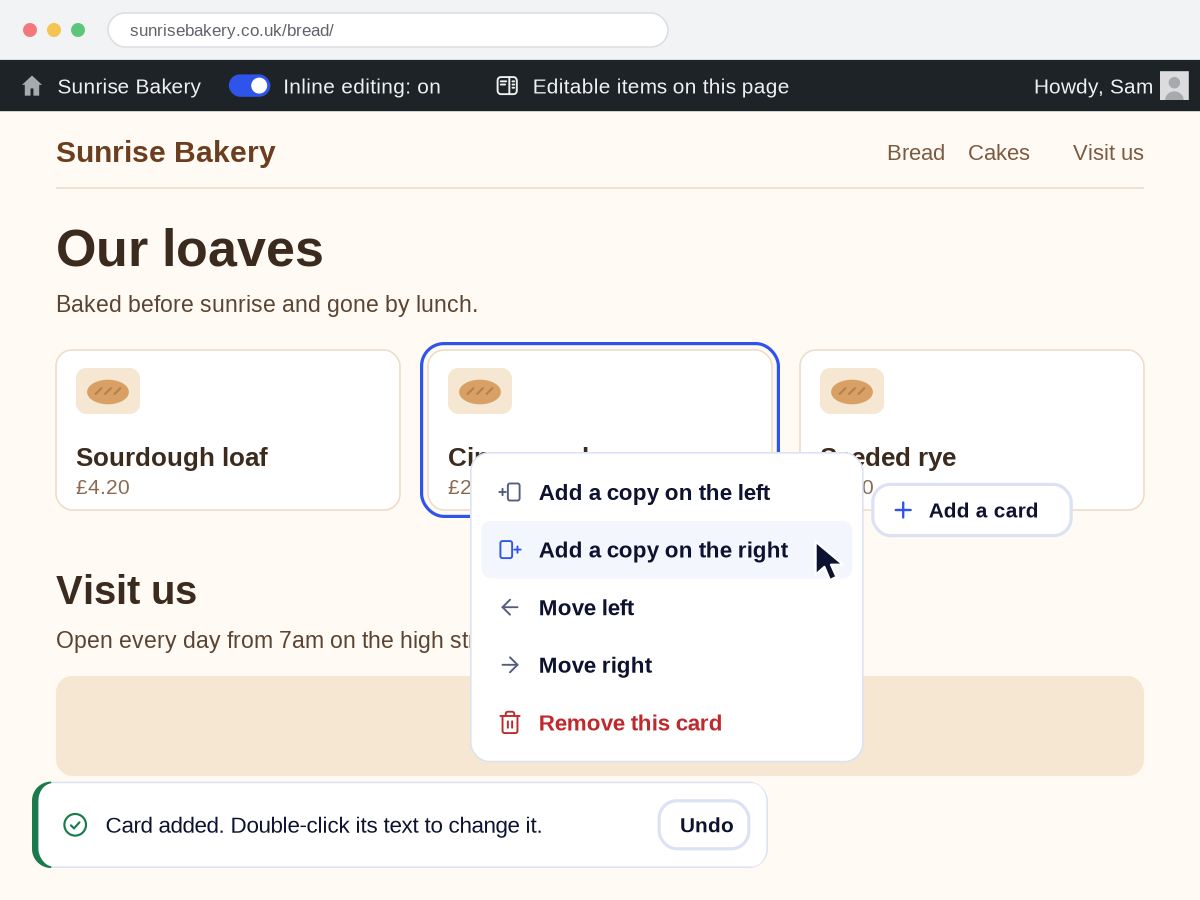
Lists and cards
Add a team member, a price or a question straight from the page. InlinerWP also spots cards built the same way and lets you copy, move or remove them.
Pricing
Every plan has every feature. Pick the number of websites and how you want to pay.
1 website
For your own site or one client.
Up to 25 websites
For freelancers and studios who hand sites to clients.
Unlimited websites
Pay once and use InlinerWP on every site you build.
14-day money-back guarantee, no questions asked
Prices are in US dollars.
Questions
Sites built with Bricks Builder or the block editor, including block theme templates and template parts. Other page builders are not supported.
No. They change words, pictures, links and list items. The layout, the styles and anything you protect stay out of reach. Every save can be undone.
No. The editing tools only load for signed-in people who may use them. Visitors get the same page as before, with no extra scripts.
Only for lists. Text, buttons, links and pictures work without it. Lists need a repeater field from ACF PRO or Secure Custom Fields.
Yes. Each plan covers a number of websites, whoever owns them. The Lifetime plan covers as many as you build.
InlinerWP keeps working on your sites. Updates and support stop until you renew.
Only what the licence needs. To check its licence and look for updates, your site sends us its address and its licence key. Everything you edit stays on your own site, with InlinerWP’s settings and an optional activity log in two WordPress options.
In short… probably, please refer to our refund policy! 🙂
Let clients and colleagues change words, pictures and lists on the page while you keep the layout.